
Download Passwords Plus – Free Secure Password Manager
Overview: Why Passwords Plus Is the Right Choice for Modern Users
In today’s digital landscape, remembering dozens of complex passwords can feel impossible. Passwords Plus steps in as a free, cloud‑based password vault that lets you store, organize, and retrieve login credentials with confidence. Built with end‑to‑end encryption, the app ensures that only you can access your data, even when it’s synchronized across multiple devices. Whether you shop online, manage work accounts, or simply browse the web, Passwords Plus removes the mental load of memorizing passwords while keeping your information safe from prying eyes.
The core philosophy behind Passwords Plus is simplicity without sacrificing security. After a quick setup, the software automatically fills login forms, generates strong passwords on demand, and alerts you when a saved password has been compromised in a data breach. All of these features are delivered through an intuitive interface that works equally well on Windows, macOS, Android, and iOS. Because the vault lives in the cloud, you can switch from a desktop to a smartphone in seconds, and any changes you make are instantly reflected everywhere.
Another standout is the zero‑cost model. Unlike many premium password managers that lock essential features behind a subscription, Passwords Plus offers its full suite for free, funded by optional premium add‑ons that are truly optional. This makes it an attractive option for students, freelancers, and small businesses that need a reliable security tool without a hefty price tag. In short, Passwords Plus combines the convenience of a modern password manager with the peace of mind that comes from robust encryption and continuous updates.
Key Features List
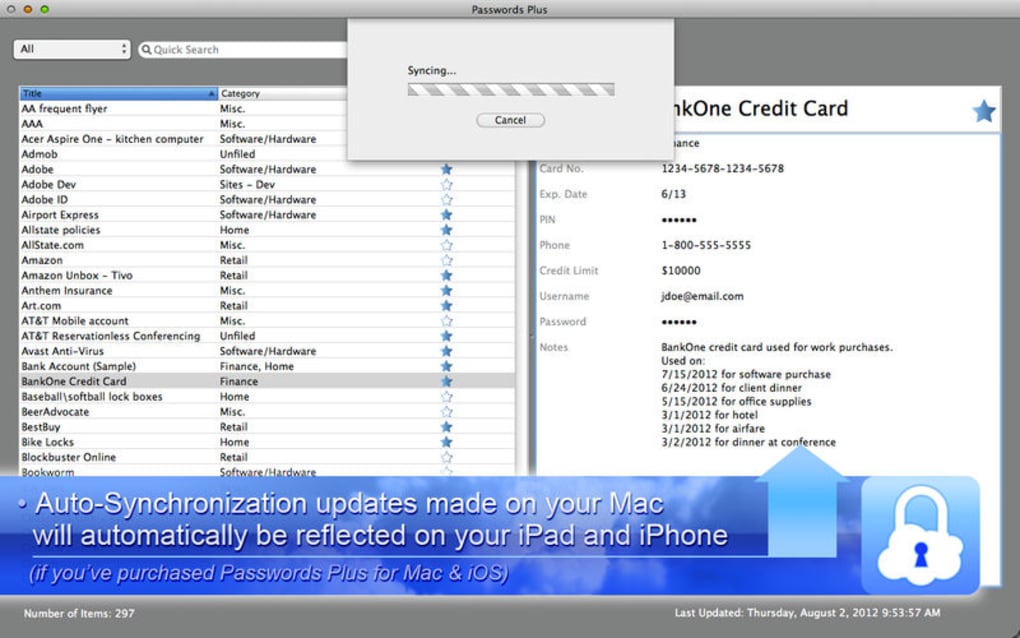
- Secure Cloud Sync: Your vault is encrypted locally before it ever leaves your device, then stored securely in the cloud for instant cross‑device access.
- Automatic Password Generation: Create complex, unique passwords with a single click, ensuring each account meets the highest security standards.
- Auto‑Fill & Auto‑Login: The browser extension detects login fields and fills them automatically, saving you time and reducing typing errors.
- Breach Monitoring: Integrated dark‑web scanning notifies you if any of your stored credentials appear in a known data breach.
- Multi‑Platform Support: Native apps for Windows 10/11, macOS Monterey+, Android 8+, and iOS 13+, plus a browser extension for Chrome, Edge, Firefox, and Safari.
- Two‑Factor Authentication (2FA): Protect your vault with Google Authenticator, Authy, or built‑in TOTP codes for an extra security layer.
- Secure Sharing: Share selected passwords with trusted contacts without exposing the entire vault.
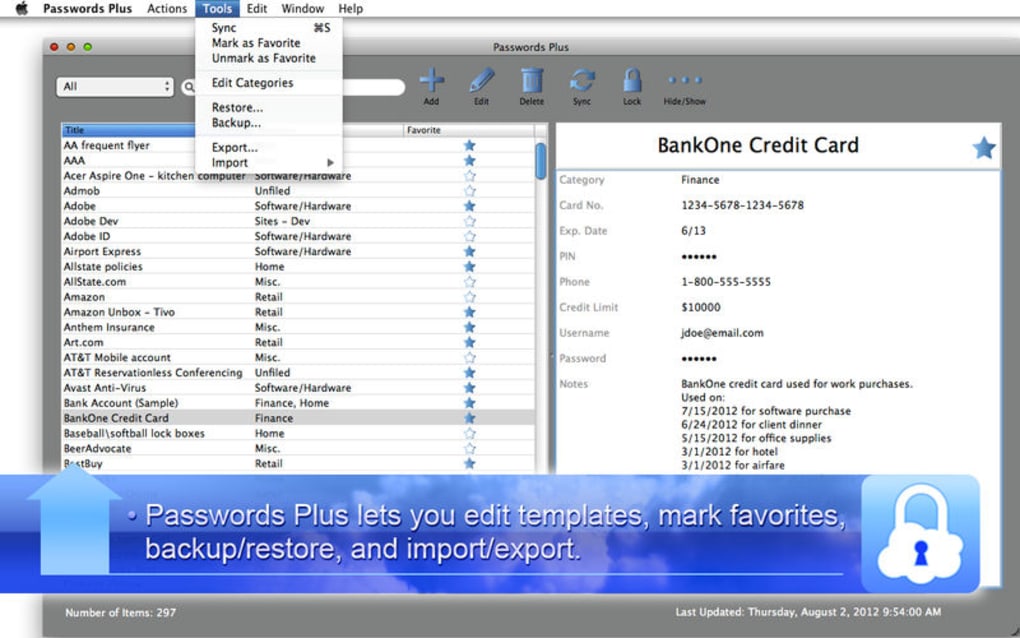
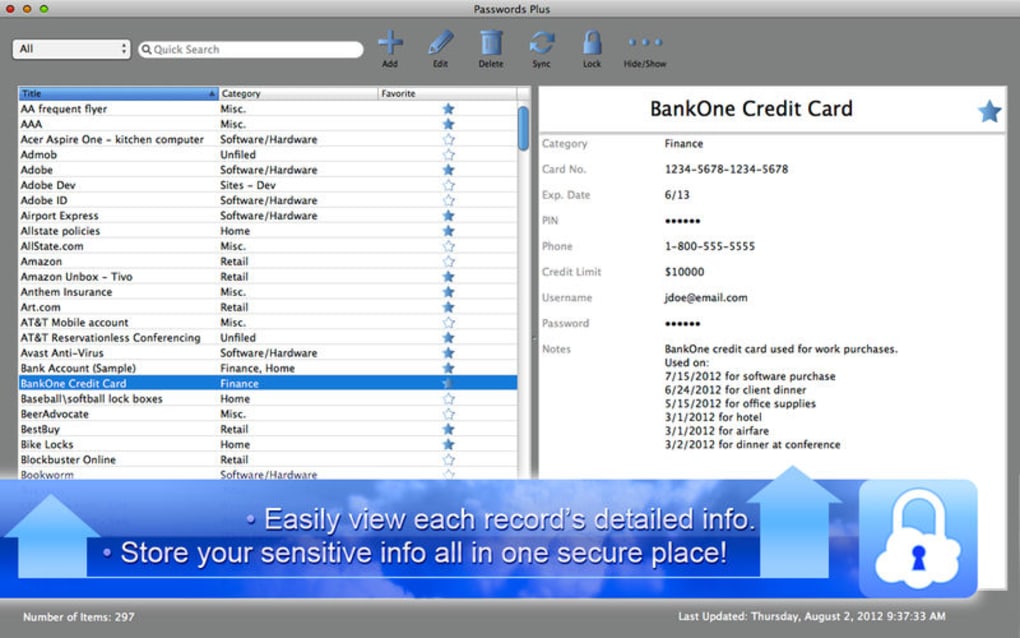
- Customizable Categories & Tags: Organize credentials by work, personal, finance, or any tag you create for quick retrieval.
- Offline Access: Your encrypted database is always available locally, enabling you to retrieve passwords even without internet.
- Regular Security Updates: Frequent patches and feature upgrades keep the software resistant to emerging threats.
Installation, Usage & Compatibility
Step‑by‑Step Installation Guide
Getting started with Passwords Plus is straightforward. For Windows users, download the installer from the official website, run the .exe file, and follow the on‑screen prompts. macOS users can grab the .dmg package, drag the app to the Applications folder, and launch it. Mobile users simply search “Passwords Plus” in the Google Play Store or Apple App Store and tap “Install.” After installation, you’ll be greeted by a welcome wizard that helps you create a master password—this is the only password you’ll need to remember.
Once the master password is set, the wizard guides you through importing existing passwords from browsers or CSV files, enabling cloud sync, and setting up two‑factor authentication. The app also prompts you to install the browser extension, which works seamlessly with Chrome, Edge, Firefox, and Safari. After the extension is added, you’ll notice a tiny lock icon appear next to login fields—click it to auto‑fill credentials stored in your vault.
In terms of compatibility, Passwords Plus runs on the following operating systems (itemprop="operatingSystem"):
- Windows 10, Windows 11 (64‑bit)
- macOS Monterey, Ventura, and later (Intel & Apple Silicon)
- Android 8.0 (Oreo) and newer
- iOS 13 and newer (iPhone & iPad)
The cloud sync feature uses AES‑256 encryption, meaning your data remains unreadable to anyone without your master password. For teams or families, you can enable “Secure Sharing” to grant limited access to specific credentials without sharing the master key. Regular backups are automatically created in the cloud, and you can also export an encrypted backup file for offline storage.
Overall, the installation process takes under five minutes, and the user interface is designed for both tech‑savvy users and beginners. With built‑in tutorials and a responsive help center, you’ll be mastering Passwords Plus in no time.
Pros and Cons
What Users Love
- Completely free core features – no hidden subscription fees.
- Strong end‑to‑end encryption ensures data privacy.
- Seamless cross‑device synchronization via secure cloud storage.
- Built‑in breach monitoring saves users from compromised passwords.
- Intuitive UI works equally well on desktop and mobile platforms.
- Two‑factor authentication adds an extra security layer.
Areas for Improvement
- Advanced reporting and password health analytics are only available in the paid tier.
- No built‑in password vault for Linux users (though the web app works).
- Occasional latency when syncing large vaults on slower internet connections.
- Limited customization of the browser extension’s UI theme.
- Customer support response times can vary during peak periods.
Frequently Asked Questions (FAQ)
Is Passwords Plus really free?
Yes, the core password manager, cloud sync, and breach monitoring are completely free. Optional premium add‑ons, such as advanced analytics, are offered on a voluntary basis.
How does Passwords Plus protect my data in the cloud?
All data is encrypted locally with AES‑256 before it is uploaded. The encryption key is derived from your master password, which never leaves your device, ensuring that even the service provider cannot read your vault.
Can I use Passwords Plus on multiple platforms simultaneously?
Absolutely. The app supports Windows, macOS, Android, and iOS. Changes made on one device are instantly synced to all others, provided you are online.
What happens if I forget my master password?
For security reasons, the master password cannot be recovered. However, you can reset the vault by creating a new master password; this will erase the existing encrypted data, so it’s essential to keep a secure backup of your master password.
Does Passwords Plus support two‑factor authentication?
Yes. You can enable 2FA using Google Authenticator, Authy, or the built‑in TOTP generator, adding an extra verification step whenever you log into the vault.
User Review
Passwords Plus delivers a robust set of security features without charging a dime. Its cloud sync is smooth, and the breach alerts have already saved me from reusing compromised passwords. The only downside is the lack of a Linux client, but the web interface fills that gap adequately.
Conclusion & Call to Action
When it comes to protecting your digital identity, a reliable password manager is indispensable. Passwords Plus combines top‑tier encryption, effortless cloud synchronization, and a host of convenience tools—all at zero cost. Whether you’re a student juggling multiple school portals, a remote worker managing client logins, or a family looking to centralize shared credentials, this app offers a secure, user‑friendly solution that scales with your needs.
Ready to simplify your online security? Download Passwords Plus today and start enjoying a stress‑free browsing experience. Remember, the best password manager is the one you actually use, and with its free tier, intuitive design, and cross‑platform support, Passwords Plus makes that choice an easy one.







